Why Digital Registration Matters
Moving from paper‑based intake to electronic workflows is reshaping how dental offices welcome patients of Online pre‑registration lets families fill out health history, insurance details and consent forms from any device before they arrive, so the front desk no longer spends minutes scanning and re‑entering handwritten notes. The result is a dramatic drop in wait times—often cutting check‑in by half—and a smoother flow for staff who can focus on clinical care rather than paperwork. Today’s patients expect convenience: a mobile‑friendly portal, instant e‑signatures and real‑time insurance verification are no longer nice to‑‑have, they’re the norm. By embracing digital registration, practices deliver a modern, welcoming experience that meets patient expectations while boosting efficiency and accuracy across the board.
Essential Data Elements in a Registration Form
Essential Data Elements in a Registration Form
| Category | Data Fields | Purpose |
|---|---|---|
| Personal Identifiers | Full legal name, Date of birth, Social Security # or driver’s license, Mailing address, Phone, Email | Verify identity, ensure accurate contact for communication and billing |
| Emergency Contact | Name, Relationship, Phone number | Quick outreach in case of complications during treatment |
| Medical History | Current medications, Allergies, Past illnesses, Surgeries, Chronic conditions | Identify health risks, avoid contraindications, tailor treatment plan |
| Dental History | Previous procedures, Orthodontic work, Current oral health issues | Provide baseline for clinical assessment and future care |
| Insurance Information | Primary & secondary carrier, Policy #, Group #, Subscriber ID, Scanned insurance card | Enable real‑time eligibility check, reduce claim denials, streamline billing |
| Financial Preferences | Payment method, Financial responsibility acknowledgment, Copay amount | Clarify cost expectations, improve collections |
| HIPAA Consent | Acknowledgment of Privacy Practices, Electronic signature | Legal compliance, protect patient data |
| Purpose Summary | Eligibility verification, claim denial reduction, faster check‑in, EHR integration | Enhance operational efficiency and patient experience |
 A well‑designed patient registration form is the first step toward a smooth, compassionate dental experience. It captures all the data the practice needs to verify coverage, schedule appointments efficiently, and deliver safe, personalized care while staying HIPAA‑compliant.
Personal identifiers and contact details – The form starts with the patient’s full legal name, date of birth, and primary contact information (mailing address, phone number, email). A government‑issued identifier such as a Social Security number or driver’s license, emergency‑contact details, and employment or insurance status are also recorded.
Medical and dental history – Detailed health information is essential. The questionnaire asks about current medications, allergies, past illnesses, surgeries, and any previous dental treatments or procedures. This enables clinicians to spot potential risks before the chair‑side visit.
Insurance and payment information – Accurate billing depends on complete insurance data: primary and secondary carrier names, policy numbers, group numbers, subscriber IDs, and a scanned copy of the insurance card. The form also gathers payment preferences and financial responsibility details, helping the office explain costs up obtain any required copays up front.
HIPAA consent and signatures – Patients must acknowledge the HIPAA Notice of Privacy Practices and sign electronically to authorize the use and disclosure of their protected health information. A digital signature meets U.S. e‑signature laws (ESIGN Act, eIDAS) and eliminates paper delays.
Purpose of the registration form – By collecting this information before the first visit, the dental team can verify eligibility, reduce claim denials (up to 35 % of denials stem from incomplete data), and streamline check‑in times by up to 50 %. The data flow directly into the practice’s electronic health record (EHR) and practice‑management system, ensuring that every clinician has the right information at the right time. This not only improves operational efficiency but also reinforces Veenstra Family Dental’s commitment to family‑focused, technology‑driven, and welcoming dental care.
Step‑by‑Step Guide to Completing the Form
Step‑by‑Step Guide to Completing the Form
| Step | Action | Key Tips |
|---|---|---|
| 1 | Enter personal information accurately | Use exact spelling as on ID; fields marked * are required; double‑check to avoid claim denials |
| 2 | Provide emergency‑contact details | Include name, relationship, and a reliable phone number |
| 3 | Complete medical and dental history | Use checkboxes/dropdowns; note any allergies, medications, past surgeries, and prior dental work |
| 4 | Submit insurance information | Enter carrier name, policy & group numbers; upload a clear image of the card; system may verify coverage in real time |
| 5 | Sign consent and privacy acknowledgments | Electronically sign HIPAA notice, treatment consent, and financial policy; e‑signature is legally binding under ESIGN Act |
| 6 | Review and submit | Verify all required fields are filled; correct any errors before final submission |
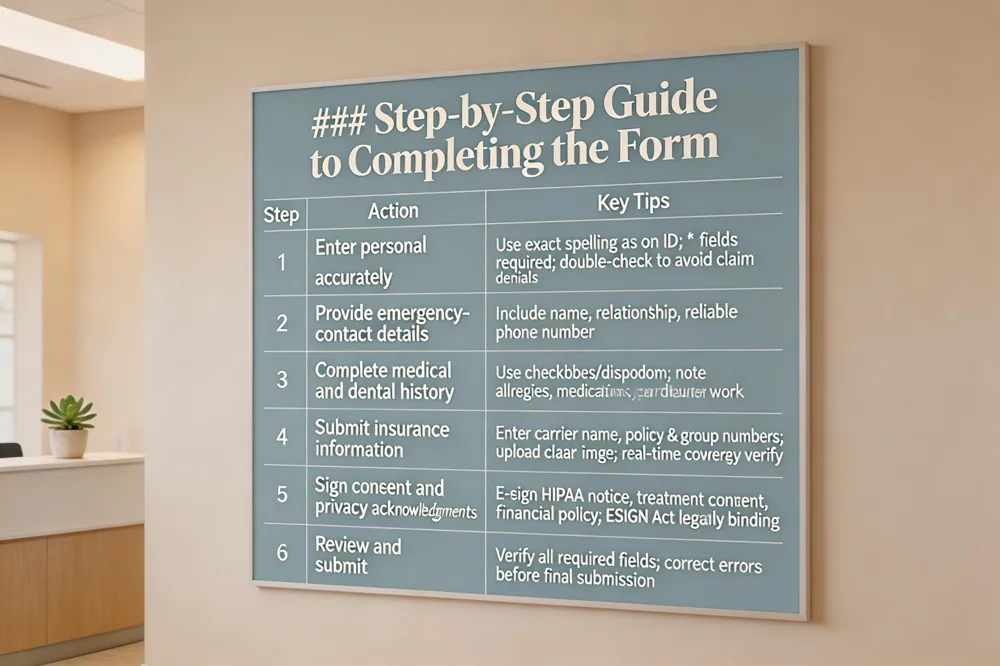 How to fill out a patient registration form?
- Enter personal information accurately – Type your full name, date of birth, address, email and phone number exactly as they appear on your ID and insurance card. Mobile fields are marked with an asterisk; double‑check spelling to avoid claim denials (up to 35 % of denials stem from incorrect data).
- Provide emergency‑contact details – Add a trusted contact’s name, relationship and phone number so the office can reach someone quickly if a complication arises.
- Complete medical and dental history sections – Use checkboxes and dropdowns to indicate any conditions, surgeries, allergies, medications and previous dental procedures. Digital forms auto‑populate what you’ve entered before, reducing transcription errors.
- Submit insurance information – Enter primary (and secondary, if applicable) insurer name, policy number, group number and upload a clear image of the insurance card. Real‑time verification can confirm coverage before your visit.
- Sign consent and privacy acknowledgments – Electronically sign the HIPAA privacy notice, treatment‑consent and financial‑policy statements. Your e‑signature is legally binding under the ESIGN Act and is stored securely with end‑to‑end encryption.
What paperwork do you fill out at the dentist?
When you arrive at Veenstra Family Dental, you will review a health‑history questionnaire, an insurance verification form, a consent‑for‑treatment agreement, a HIPAA privacy acknowledgment, and a financial‑policy declaration. All documents can be completed online in advance or on a tablet in the office, allowing staff to verify eligibility, reduce wait‑room time and focus on compassionate, modern dental care for patients of every age.
Online Registration in Practice: Veenstra Family Dental
Online Registration in Practice: Veenstra Family Dental
| Feature | Description | Benefit |
|---|---|---|
| Secure pre‑registration portal | Encrypted, HIPAA‑compliant web portal for submitting personal, medical, and insurance data | Eliminates paper, reduces transcription errors, instant staff access |
| Mobile‑friendly & multilingual | Responsive design; English, Spanish, Portuguese; font‑size and contrast controls | Increases accessibility for all patients |
| Real‑time insurance verification | Automatic eligibility and benefit checks upon entry | Prevents claim denials, speeds billing |
| AI‑powered chat assistance | Chatbot guides through sections, prompts missing info | Cuts manual entry errors, shortens completion time |
| Automated reminders & e‑signatures | Email/SMS alerts; legally binding electronic signatures stored in patient chart | Improves completion rates, ensures compliance |
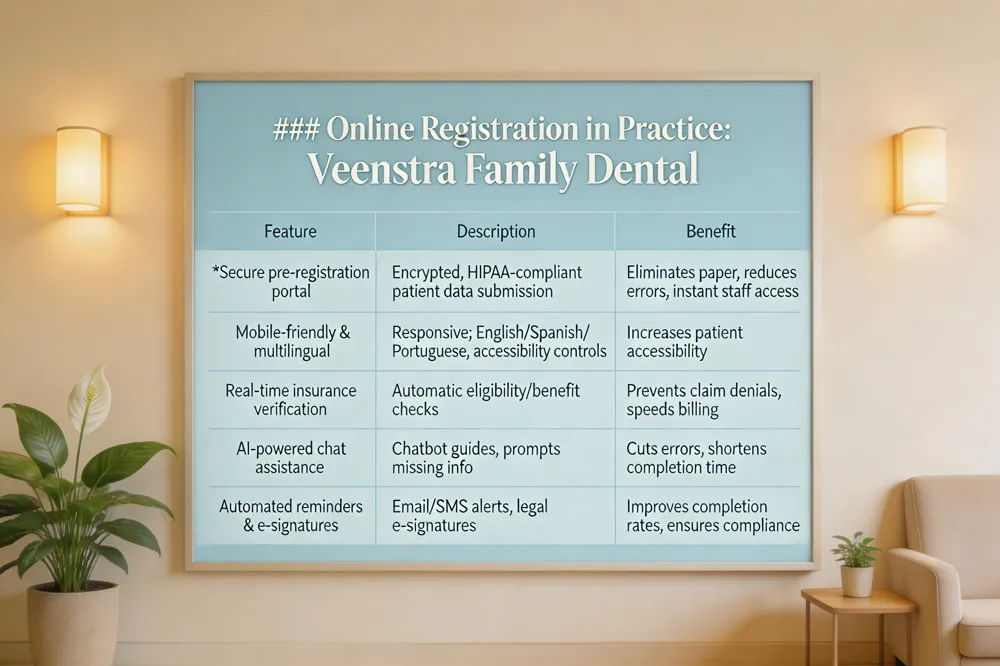 Secure pre‑registration portal – Veenstra Family Dental uses an encrypted, HIPAA‑compliant web portal where new patients can submit personal details, medical history, and insurance information before stepping foot in the office. The data is stored safely in the cloud and instantly available to staff, eliminating paper handling and reducing transcription errors.
Mobile‑friendly and multilingual access – The portal is responsive, so patients can complete forms on smartphones, tablets, or computers. English, Spanish, and Portuguese options are offered, and accessibility tools such as font‑size and contrast controls ensure everyone can fill out the paperwork comfortably.
Real‑time insurance verification – As soon as insurance data is entered, the system checks eligibility and benefits, flagging any gaps before the appointment. This prevents claim denials—up to 35% of denials stem from incorrect registration data—and speeds up billing.
AI‑powered chat assistance – An integrated chatbot guides patients through each section, answering common questions and prompting for missing information, which cuts manual entry errors and shortens completion time.
Automated reminders and e‑signatures – Email and SMS alerts remind patients to finish any outstanding fields. Once the form is complete, a legally binding electronic signature captures consent for treatment and privacy policies, and a PDF is automatically saved to the patient’s chart.
Streamlined new patient registration online forms explained USA – Online patient registration forms let new patients enter personal, medical, and insurance information securely through an encrypted portal before their first visit, eliminating the need for paper paperwork. The system validates data in real time—checking address formats, insurance numbers, and consent signatures—so errors are caught early and records are accurate. Because the forms are stored in a HIPAA‑compliant cloud database, staff can access the information instantly, streamlining check‑in, billing, and treatment planning. Automated reminders and pre‑visit questionnaires keep patients engaged and ensure all required disclosures are completed ahead of time. Overall, these digital intake tools reduce wait times, improve data quality, and provide a smoother, more professional experience for families visiting Veenstra Family Dental.
Credentialing and Insurance Integration
Credentialing and Insurance Integration
| Process | Typical Timeline | Tools / Platforms |
|---|---|---|
| Dentist credentialing | 30‑45 days (standard) • 90‑120 days (deep primary‑source) | CAQH ProView, Overjet AI, Dentrix Credentialing, Fluent’s Dentistat |
| Insurance enrollment | Parallel with credentialing; often completed within 2‑3 weeks after credentialing | CAQH, payer portals, eAssist Dental Solutions |
| Data upload & monitoring | Ongoing; expirations tracked automatically | Overjet, Dentrix, CAQH bulk upload tools |
| Verification & updates | Real‑time status checks; updates as needed | CAQH dashboard, practice management system integrations |
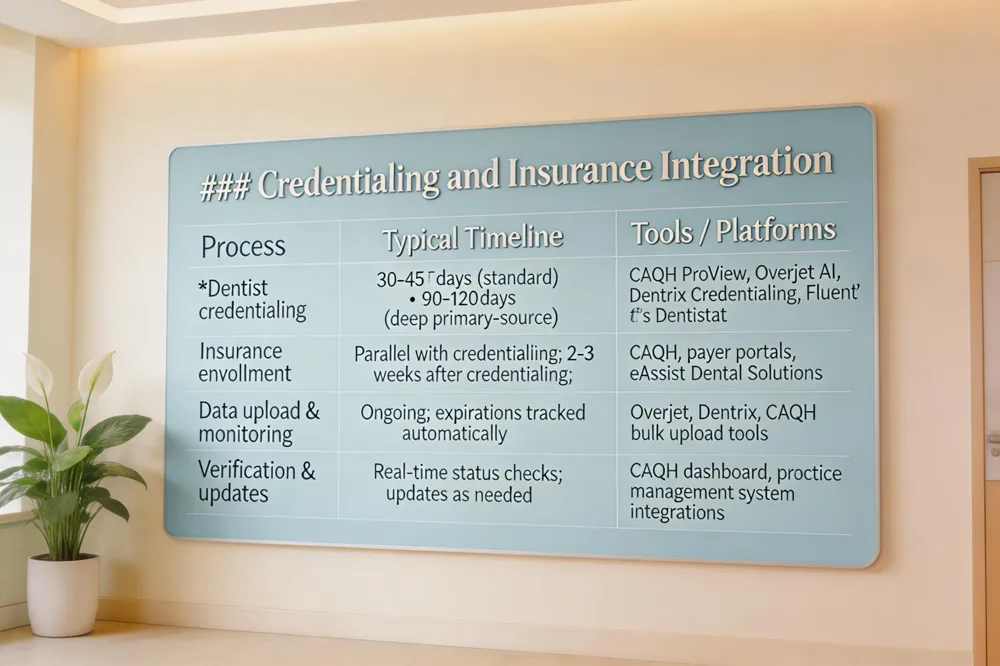 Dental credentialing is essential for Veenstra Family Dental to join insurer networks quickly and get paid on time. How long does it take for a dentist to be credentialed? Typically 30–45 days from paperwork submission to payer review, though some carriers require 90–120 days for deep primary‑source verification. Prompt, accurate uploads to portals such as CAQH keep the process on the lower end. What is CAQH for dentists? CAQH (Council for Affordable Quality Healthcare) offers a secure, centralized platform—CAQH ProView—where dentists can submit, update, and share professional, practice, and insurance data for credentialing and verification. Dental credentialing services like the ADA’s delegated service or companies such as eAssist Dental Solutions handle licensure, education, malpractice coverage, and PPO enrollment, freeing staff to focus on patient care and often cutting weeks off the standard timeline. Dental credentialing software – from Overjet’s AI‑powered automation to traditional tools like Dentrix Credentialing – streamlines data entry, monitors expirations, and provides real‑time status. CAQH’s Dental Credentialing suite enables bulk uploads and on‑demand downloads, while Fluent’s Dentistat service offers NCQA‑certified, dental‑only credentialing. Leveraging these modern solutions ensures accurate, timely enrollment, maximizes reimbursement, and supports a seamless, patient‑focused experience across all ages.
Free Templates and Printable Forms
Free Templates and Printable Forms
| Template Type | Format | Source |
|---|---|---|
| Health‑history questionnaire | PDF (mobile‑friendly) | American Dental Association (ADA) |
| Dental‑history form | PDF (English/Spanish) | State dental societies & specialty groups |
| Consent & HIPAA Privacy Practices | ADA & Veenstra Family Dental website | |
| New‑patient packet (complete set) | PDF & Word (editable) | Veenstra Family Dental (downloadable) |
| Insurance verification form | Practice management system templates |
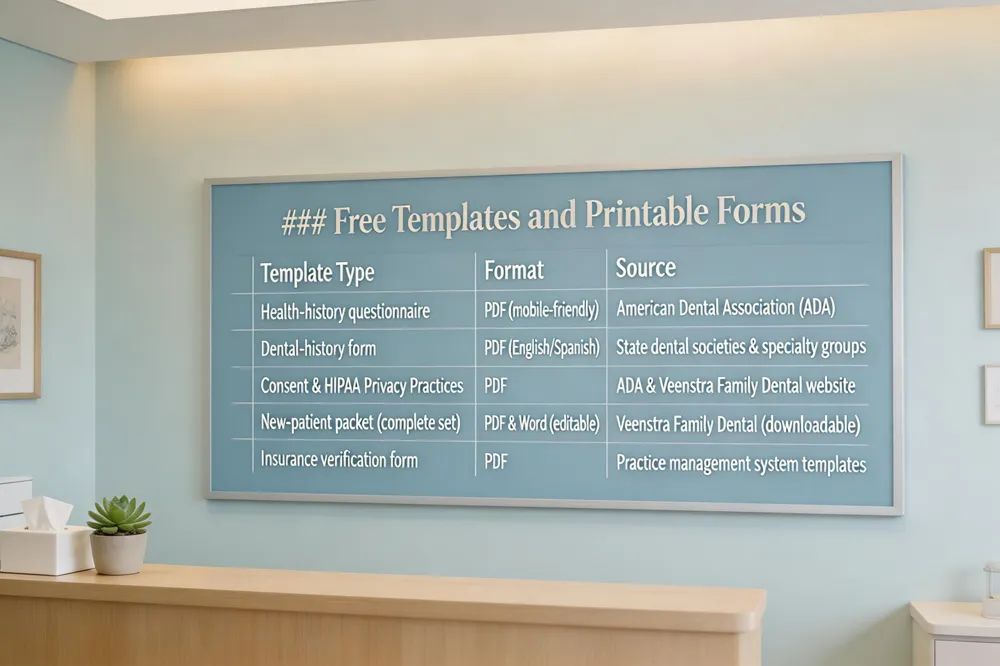 Finding the right paperwork shouldn’t be a hurdle. The American Dental Association (ADA) offers free, mobile‑friendly PDFs for health‑history, dental‑history, consent and HIPAA Privacy Practices—available in English (and Spanish) for quick download. Many state dental societies and specialty groups also host similar PDFs that cover insurance, emergency contacts and medical details, ensuring you meet both federal and state requirements. Veenstra Family Dental simplifies it further with its own New‑Patient Packet, which you can download from our website, print, and bring to your first visit or send securely by email.
Free printable new patient dental forms (English) – The ADA’s website provides a complete set of printable English forms in PDF format. State and specialty societies add extra sections, and Veenstra’s packet lets you fill out everything before you arrive.
Patient registration form template free download – Professional sites (ADA, 123FormBuilder, Template.net) offer editable Word or PDF templates that include personal data, medical history, insurance, emergency contacts and consent. Customize them with your practice’s logo and details.
Printable dental patient registration form template – Start with a clear heading, then collect name, DOB, contact info, emergency contact, insurance details, a concise medical‑history checklist, dental‑history questions, and a signature line. Add a short “How did you hear about us?” box to keep the form comprehensive yet single‑page friendly.
Putting It All Together for a Seamless Visit
Digital registration transforms the first dental visit into a quick, stress‑free experience. Online pre‑registration forms let families complete health history, insurance details and consent agreements on any device, cutting wait‑room time by up to 50% and reducing transcription errors that cause claim denials. Real‑time insurance verification and secure e‑signatures keep data HIPAA‑compliant and ready for the clinician before the patient even steps through the door.
Getting started is simple: visit Veenstra Family Dental’s website, click the "New Patient Registration" link, and fill out the mobile‑friendly questionnaire. Upload a photo ID or insurance card, sign electronically, and submit. A confirmation email will arrive instantly, and a temporary patient ID is generated for the first visit.
Veenstra Family Dental is dedicated to efficiency and compliance. The practice uses a HIPAA‑secure portal that syncs directly with its practice‑management system, ensuring accurate records, fast claim processing and a welcoming, modern atmosphere for patients of all ages.